I’m a fan of Twitter – it can be really useful. But status update services and microblogging are relatively young technologies. Twitter is the frontrunner now, but it’s still possible that everything could go south really fast. Here are five people (or more accurately, types of people) who could destroy Twitter and what can be done to stop them.
The list is in no order, except I’ve saved the most dangerous for last.
1. Spammers
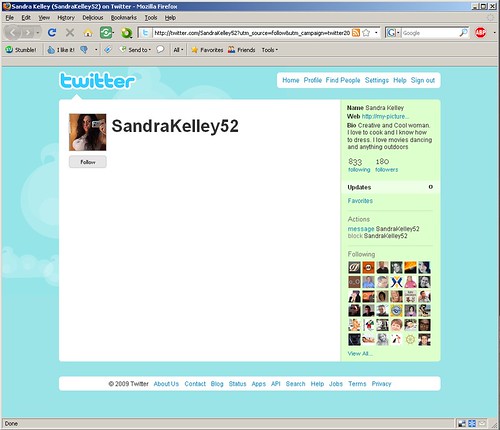
 Twitter spam is growing, and my guess is it’s a profitable business to be in. Spammers are getting crazy refollow-rates with very little effort put into their fake profiles. Part of this is a technical problem, with Twitter playing catchup to the collective innovative power of the greediest jerks on the internet. The more difficult part is social – users’ trust barriers are too low. Either Twitter finds ways to deal with this, or people will start treating reply tweets, direct messages, and invites the same way they do unsolicited emails now. One of the reasons I stopped logging in to MySpace was a flurry of fake friend requests that followed every session. Twitter runs that risk, in addition to the risk of service degradation.
What can be done? The good news is that no communication medium can be considered successful until someone has tried to send you unsolicited marketing and scams over it. But the Twitter team needs to redouble their efforts and head off potential problems proactively. For example, there are lots and lots of apps built on top of Twitter’s API – and almost all of them ask for your username and password. How long until one of those apps is compromised, or worse scammers make password-phishing apps of their own? Twitter needs to implement strong API keys or something like OpenID.
2. Anyone who uses url shortening services.
It’s hard to fit both a witty observation and a url in 140 characters, especially given url inflation. Bit.ly, Tinyurl, and the like perform the valuable service of giving you more space. They also cloak the destination of almost all the links on Twitter and get everyone used to following links blindly. I’ve already had friends whose accounts were hacked in order to send out a tweet like: “Check out this hilarious video: http://tiny/innocuousgibberish”. The New York Times’ account has been hacked, among others. Twitter can work on improving security and removing spam, but the more everyone uses url shorteners the more we train our friends to click recklessly. I’m as guilty on this one as anyone.
What can be done? People post links to Twitter frequently enough that maybe it should be separate field with it’s own character limit. If that’s too much complication for the brilliantly simple interface, maybe url previews should be enforced. Clients can do this now, but to be safe it should be done by Twitter.
3. Pirates, ninjas, zombies, and mafia thugs
Ah, I remember logging into Facebook the day I got my first “robots vs. hobos vs. Chuck Norris vs. etc.” request. “Ha,” I thought, “that’s a somewhat entertaining way to extend an internet meme into a social networking site.” Little did I know the horror that was about to unfold.
In all seriousness, the “tag, you’re it” games and gratuitous survey apps didn’t ruin Facebook, but they did make everything a bit more tedious. Those apps still fit within the umbrella of social networking – they don’t work at all in Twitter’s use model. When I log in, I want to see, very quickly, what the people I’m interested in are doing or reading. I don’t want to weed through their halves of various games I’m not interested in.
What can be done? This one is up to us – just don’t do it. Twittering with a hashtag for an event, a theme, etc. is fun and useful to others. Sending around vampire bites is not.
4. Chinese government officials
Think periodic fail whale sightings is bad for Twitter’s reliability? China can (and does) just block the whole site, most recently in advance of the Tienanmen Square anniversary. Why does this matter? China is a huge market, and growing. The days where being big in the U.S. meant major marketshare on the whole web are running short. What’s worse countries with theoretically free speech like Australia are following the Chinese model, proposing national internet content control (i.e. censorship).
What can be done? Many American companies just give up. Even Google has had to bend to government pressure. This is not easy to remedy. Perhaps there’s a way to take advantage of the small byte size of tweets, decentralize serving, and wrap access with something like Tor to get it through the Great Firewall. Let’s hope there’s a grad student or genius hacker out there with the right idea and Twitter is smart enough to hire them.
And finally, the absolute worst, most pressing threat the Twitter’s survival is…
(drumroll….)
5. Your mom
Despite the allure of turning this into one big “your mom” joke, I am completely serious. What happens when your mom joins Twitter? Do you censor yourself? Take your tweets private? Delete off-color tweets from your recent past?
There’s no right answer. Just about any social software eventually runs into this dilemma where the very different ways you communicate personally, professionally, and publicly collide.
What can be done? Some of the problem might fade as the userbase of sites like MySpace, Facebook and Twitter ages. But that will take years, so what can Twitter do now? It might help to have better relationship management. You could at least put your friends in one group and family in another. But in general, this strikes me as the toughest problem of them all – I don’t think there are any real solutions for the general possibility of parental embarrassment, or all efforts of every teenager in the world has yet to reveal discover them.
Disagree? Any threats I missed? Please post in the comments below.